
MCP
The Rillet Model Context Protocol (MCP) server enables AI assistants like Claude Desktop, Claude Code, and AI-powered code editors like Cursor to interact directly with your Rillet account and documentation.
What is MCP?
Model Context Protocol (MCP) is an open standard that allows AI applications to securely access external data sources and tools. The Rillet MCP server provides AI agents with:
- Direct API access to Rillet functionality
- Documentation search capabilities
- Real-time data from your Rillet account
- Code generation assistance for Rillet integrations
Rillet MCP Server Setup
Prerequisite: You'll need a valid Rillet account.
Rillet hosts a remote MCP server at https://api.rillet.com/mcp. Configure your AI development tools to connect to this server using OAuth2.
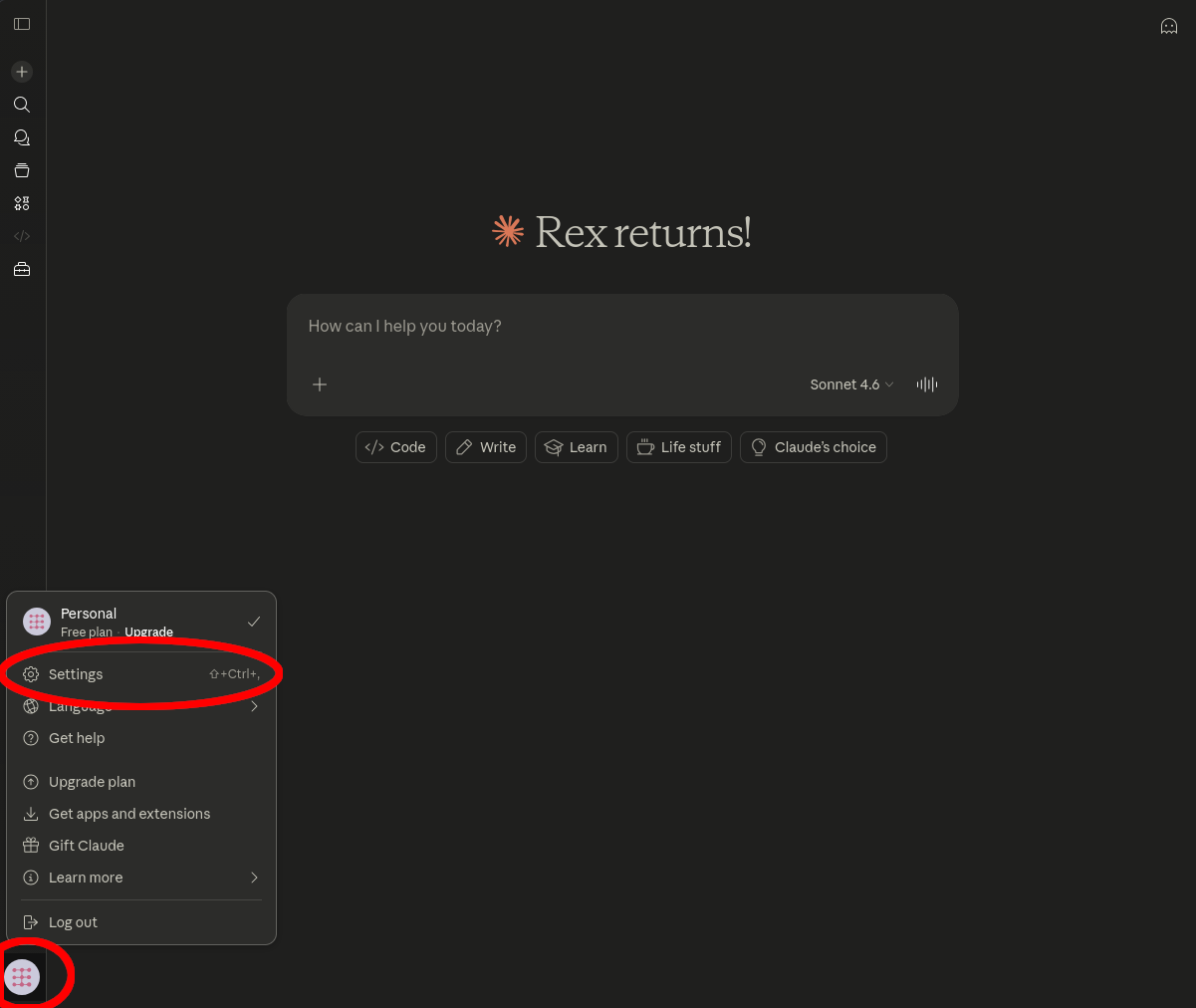
- Click your profile icon in the bottom-left corner and select
Settings
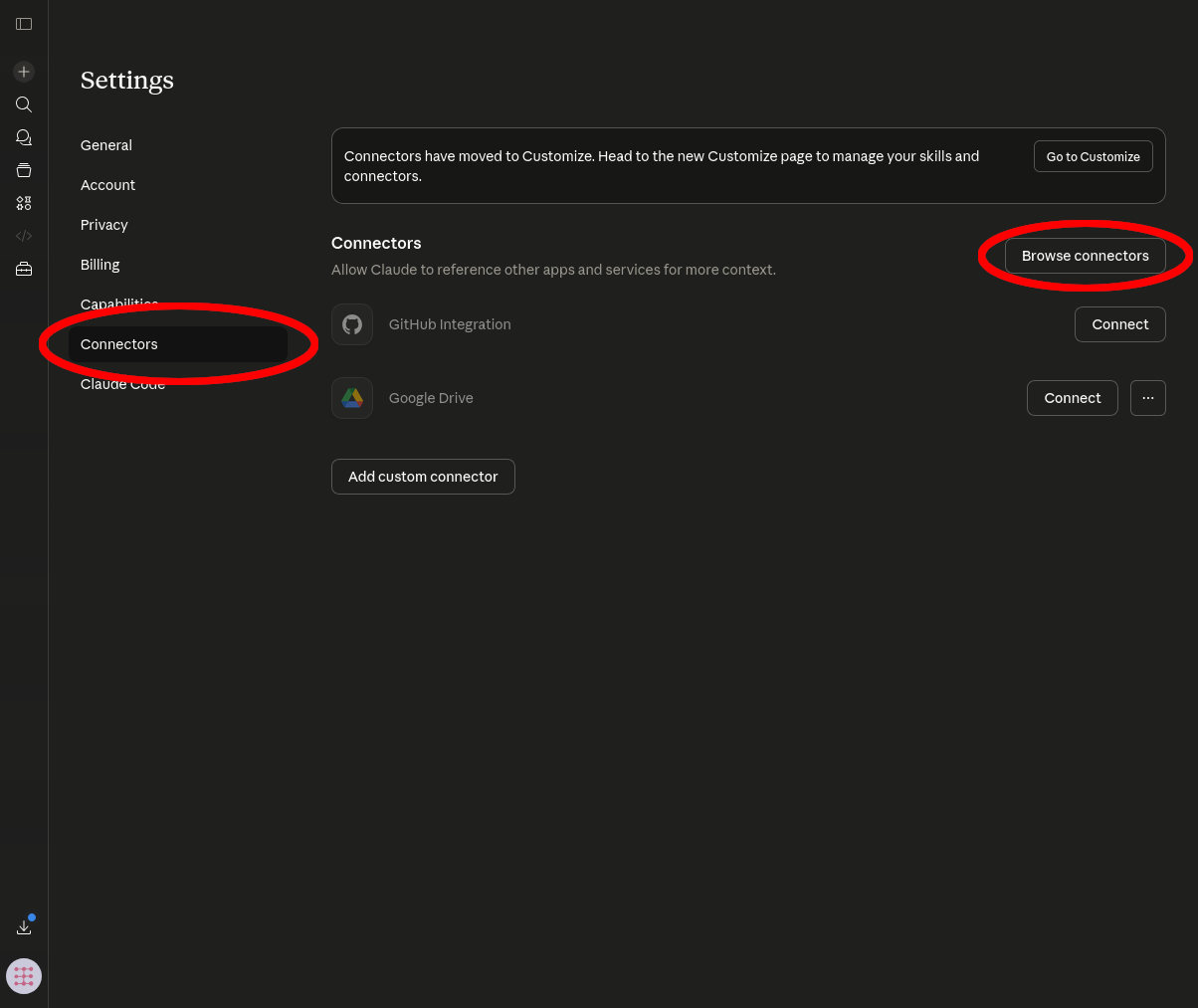
- Go to the
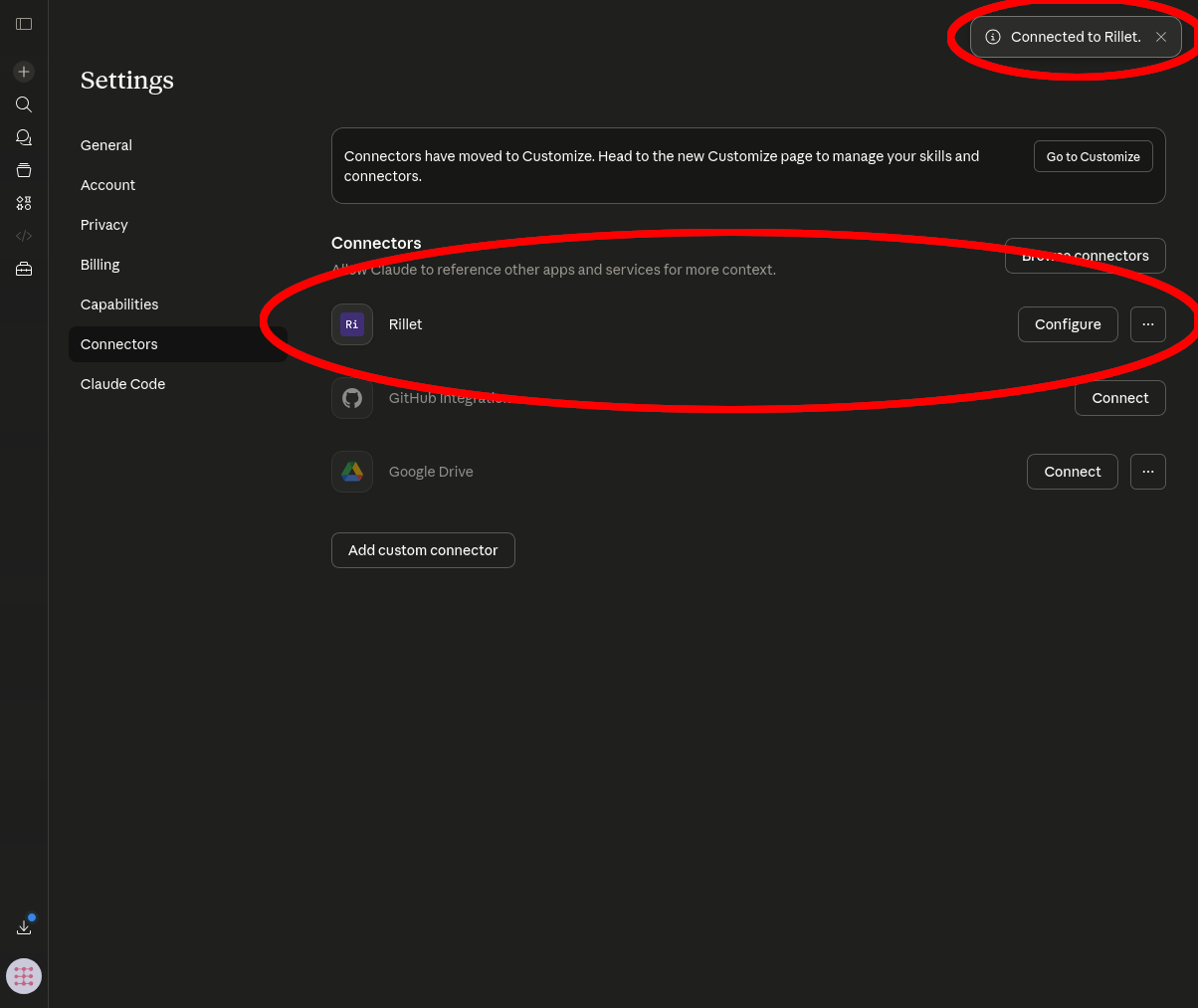
Connectorstab and clickBrowse connectors
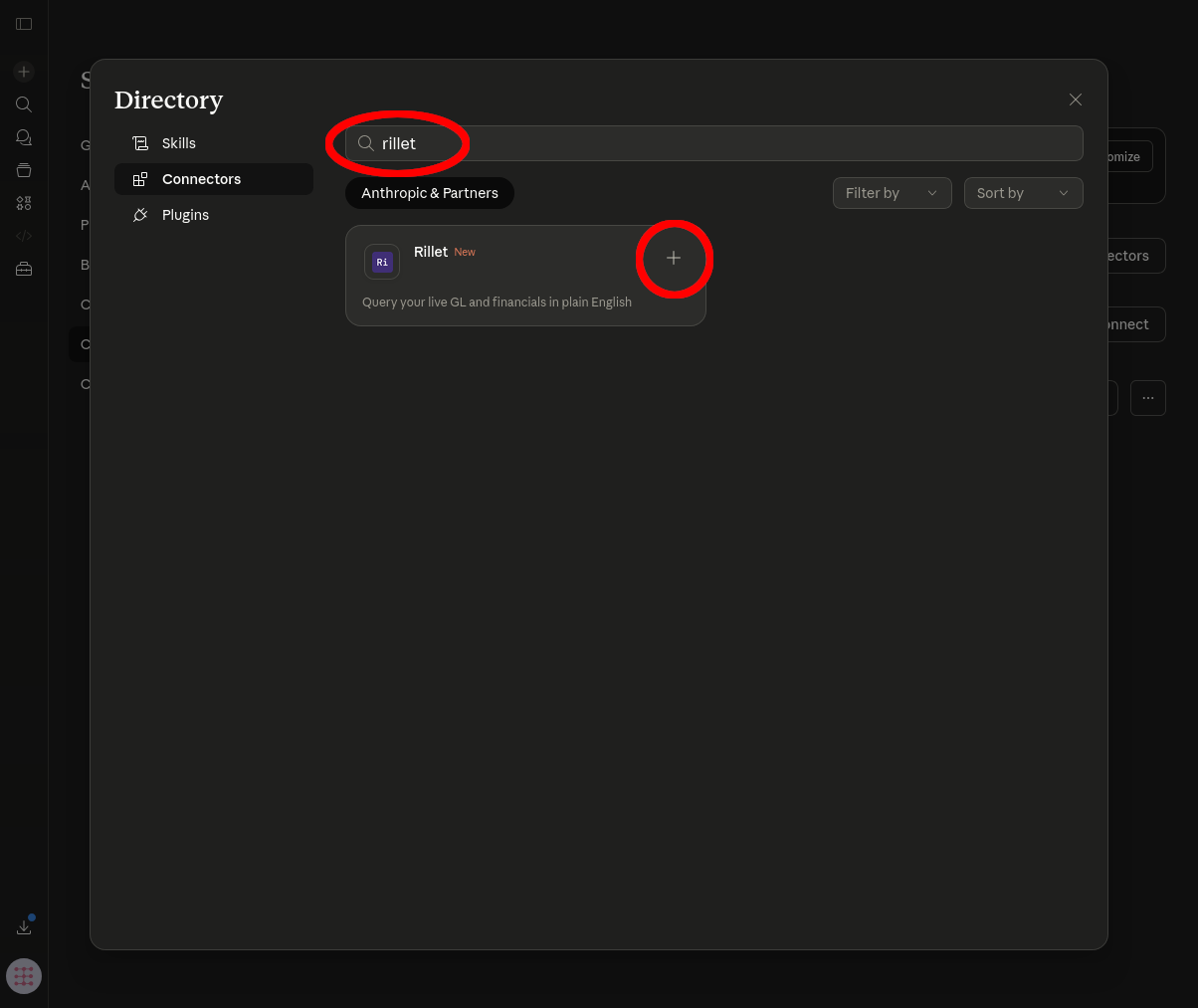
- In the Directory, search for
Rilletand click the+button
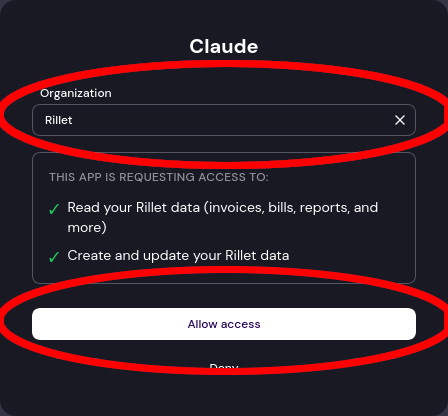
- You'll be redirected to Rillet in your browser — select your organization (if you have multiple) and click
Allow access
- You're connected! Rillet now appears in your connectors list. Start a new chat and ask something like:
What customers do I have in Rillet?
In terminal, do:
# Add server
$ claude mcp add --transport http rillet-mcp https://api.rillet.com/mcp

$ claude
❯ /mcp

Local MCPs
❯ rillet-mcp · △ needs authentication
# select ' rillet-mcp' and 'Authenticate'
# you'll be redirected to a page where you can authorize your organization

rillet-mcp: https://api.rillet.com/mcp (HTTP) - ✓ connected
Add to~/.cursor/mcp.json:
{
  "mcpServers": {
    "rillet-mcp": {
      "command": "npx",
      "args": [
        "-y",
        "mcp-remote",
        "https://api.rillet.com/mcp"
      ]
    }
  }
}
Use the following settings to connect any MCP-compatible client:
| Setting | Value |
|---|---|
| Transport | HTTP |
| URL | https://api.rillet.com/mcp |
| Auth | OAuth2 |
If you prefer to use an API key instead of OAuth, pass it as a Bearer token in the Authorization header:
Authorization: Bearer <your-api-key>Testing Your MCP Setup
Once configured, you can test your MCP server connection:
- Open your AI assistant (Claude Code, Claude Desktop, Cursor, etc.)
- Start a new chat with the AI assistant
- Ask something about your Rillet data - try questions like:
- "What customers do I have in Rillet?"
- "Which tools are available?"
- "What are my most costly expenses? And what are my most profitable customers?"
- "Do I have any overdue invoices?"
The AI should now have access to your Rillet account data and documentation through the MCP server.
Tools
Rillet MCP server offers tools that implement the same features exposed by Rillet Public API. Please refer to it for an accurate list of all tools available to your agent. Note that your agent will only have access to the tools that your Rillet user has access to.
Troubleshooting
If you have issues with the MCP server, please contact us at [email protected]
Updated 5 months ago